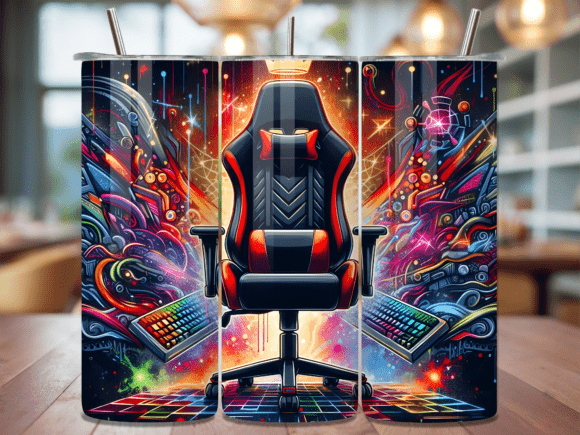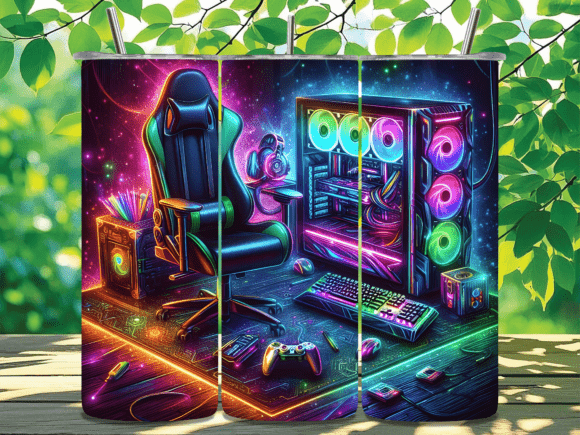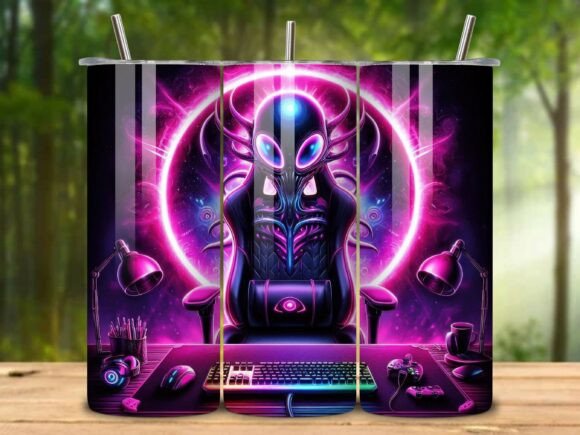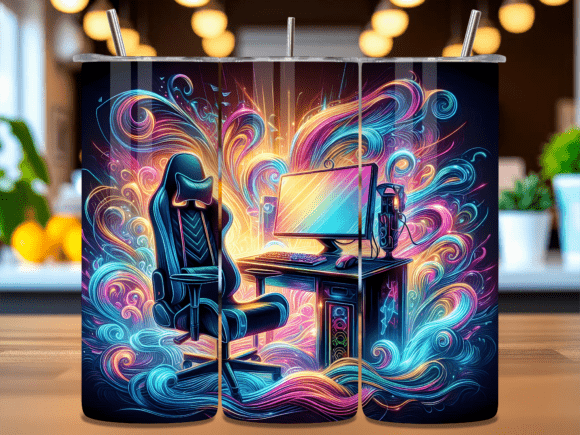
Neon Gaming Setup Chair PC Tumbler Wrap
Custom tumblers have become a staple in both the gift market and the small-business product lineup. A well-designed wrap can transform a plain stainless steel cup into a statement piece, and the Neon Gaming Setup Chair PC Tumbler Wrap is a perfect example of a design that speaks to a specific audience while maintaining professional production quality. Whether you are a hobbyist making personalized gifts for friends or a creator running a sublimation shop, this ready-to-use digital design offers a seamless way to bring a vibrant, gaming-inspired aesthetic to the popular 20 oz skinny tumbler format.
This article walks through how this design fits into a real-world workflow—from initial planning and material preparation through final quality checks and even scaling for business use. By understanding the process behind using a digital wrap like this, you can save time, reduce waste, and deliver consistent results every time.
Understanding the Design and Its Workflow Fit
The Neon Gaming Setup Chair PC Tumbler Wrap is a digital PNG file set created specifically for sublimation printing onto 20 oz skinny tumblers. It comes with two high-resolution files: one straight wrap for standard applications and one tapered wrap that accounts for the slight curve of typical skinny tumblers. Both are rendered at 300 DPI, ensuring sharp, vibrant output on sublimation paper and final transfer.
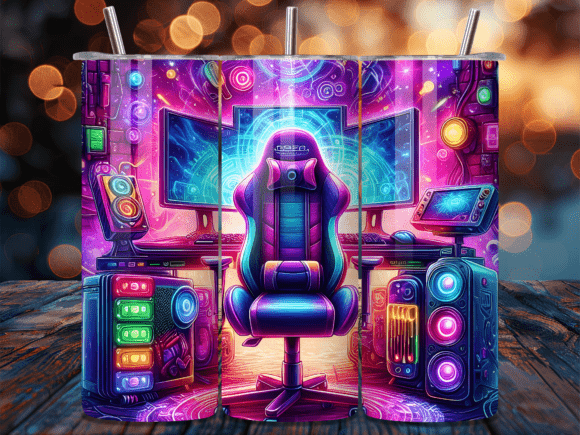
Each file measures 9.3 inches by 8.2 inches—dimensions optimized to wrap around the full circumference of a 20 oz skinny tumbler with a seamless overlap. The design features a neon-inflected gaming setup motif: glowing chair, RGB-lit PC components, and a futuristic desk scene. This aesthetic is immediately recognizable to gamers, streamers, and tech enthusiasts, making it an excellent choice for targeted gifts or niche product lines.
From a workflow perspective, this design eliminates the need to create custom artwork from scratch. Instead, it slots into the production pipeline as a ready-to-press asset. You simply download, print, and transfer. For creators managing multiple orders or batch runs, having a library of such designs saves hours of design time and guarantees a consistent fit across similar tumbler models.
- Straight wrap – Best for tumblers with minimal taper, or if you plan to trim edges.
- Tapered wrap – Recommended for standard skinny tumblers that narrow toward the bottom; the design is pre-distorted to align with the cup’s curve.
Because the files are PNGs with transparent backgrounds, they can also be layered or combined with other elements in design software like Canva, Photoshop, or Affinity Designer if you wish to add personalization (e.g., a name or a logo). This flexibility makes the wrap useful not only as a standalone product but also as a base template for custom variations.
Before You Start: Preparation and Planning
Successful sublimation depends as much on preparation as on the print itself. Before you open the download, it pays to review your equipment and materials. The Neon Gaming Setup Chair PC Tumbler Wrap is designed for a specific substrate: a 20 oz skinny tumbler with a straight or slightly tapered shape. Confirm that your tumbler’s outer diameter and height match the wrap dimensions. Most standard skinny tumblers from manufacturers like SipCup or Create & Craft will fit, but it’s wise to measure.
You will also need:
- A sublimation printer (or a converted inkjet with sublimation ink)
- Sublimation paper (recommend a high-release paper for vibrant colors)
- Heat-resistant tape (e.g., polyimide or heat tape)
- A heat press designed for tumblers, or a convection oven with a tumbler attachment
- Heat-resistant gloves and a protective surface
Because the design is provided as two separate PNGs, you can preview each on your monitor and decide which version better suits your tumbler’s geometry. Some creators prefer the straight wrap because it is easier to align; others use the tapered wrap for a more natural finish. Having both options available in a single purchase is a time-saver—no need to manually distort your printable file.
Another planning consideration: color calibration. The neon colors in this design—electric blues, magentas, and greens—will look different on screen versus printed on sublimation paper and even more different after transfer to the tumbler’s coating. Run a small calibration test on a scrap piece of coated metal or ceramic if you are unfamiliar with your printer’s output profile. This upfront step prevents misprints during production runs.
During the Project: Application Process
Once you have your materials and your workspace set up, the actual printing and pressing sequence is straightforward. Print your chosen PNG file onto sublimation paper using the “mirror” setting (though PNGs with text or asymmetrical elements should be mirrored only if required by your software; here, the design is symmetric enough that flipping is safe). Ensure the paper does not curl excessively; if it does, flatten it slightly before taping.
Cut out the wrap with a scant margin around the edges—about 1/8 inch is enough to prevent white gaps while avoiding overlap onto non-coated areas. Tape it securely around the tumbler using heat-resistant tape. The seamless design means you do not need to worry about precise seam matching; just align the left edge to the right edge or use the straight wrap’s guide marks if present.
Press time and temperature will vary depending on your equipment. A typical recommendation for a tumbler press is 400°F (204°C) for 90–120 seconds. For a convection oven, follow the manufacturer’s guidelines (often around 400°F for 4–6 minutes). The key is even heat distribution. Rotate the tumbler if your press does not fully encircle it.
After pressing, allow the tumbler to cool for a minute before peeling the paper. The colors will appear muted initially but develop fully after cooling. Inspect the transfer immediately: look for ghosting, uneven density, or white spots that indicate insufficient pressure or temperature. The 300 DPI resolution means fine details like keyboard keys or LED glow elements should be crisp. If you see blurring, the issue is likely in the press settings or paper movement, not the file itself.
After the Project: Finishing, Quality Control, and Use Cases
Once the tumbler has cooled and the paper is removed, you may want to add a clear coat or epoxy finish for durability, especially if the tumbler will be washed frequently. Many creators offer a glossy or matte finish as an upsell. Because the design is full-wrap, the seam—if any—should be nearly invisible when properly pressed. Double-check that the print extends fully around the circumference and that the top and bottom edges align with the tumbler’s rim and base.
Quality control goes beyond visual inspection. Run the tumbler through a quick dishwasher cycle (if the coating allows) to ensure adhesion. Some coatings react differently; knowing this in advance helps you avoid returns. For gifts, include a care card explaining hand washing recommendations.
The use cases for this particular design are broad:
- Gifts for gamers – Birthdays, holidays, or streamer giveaways.
- Merchandise for esports teams or gaming cafes – Bulk orders with team logos added.
- Personal desk accessories – Matching a neon gaming setup at home or office.
- Resale inventory – Including in a product line of “gaming lifestyle” tumblers.
Because the design is already optimized for the 20 oz size, scaling to other substrates (like stainless steel bottles or skinny can coolers) would require resizing in your design software. The original PNG files serve as a base that can be adapted, but for best results, maintain the aspect ratio and DPI.
Integrating This Design into a Small Business Workflow
For entrepreneurs and small business owners, consistency and speed are critical. Using a ready-made design like this one eliminates two major bottlenecks: original artwork creation and template fitting. You can treat it as a “plug-and-play” asset within your production system.
Here are practical ways to integrate it:
- Batch production: Queue multiple tumblers with the same design during one press session. Because the design is seamless, you do not need to adjust placement between units—just tape, press, and repeat.
- Bundle with other gaming-themed designs: Offer a set of three tumblers (e.g., Neon Gaming Setup, Glowing Controller, Futuristic Cityscape). The visual consistency builds a cohesive product line.
- Personalization layer: Use the straight or tapered PNG as a background in your design software, then add a text overlay for a customer’s name or gamertag. This gives a custom feel without reinventing the layout.
- Pricing strategy: Since your digital cost is fixed, each printed tumbler has a low marginal cost. Price per unit based on your time, materials, and market positioning. A design like this, with neon details, can command a premium among gaming audiences.
Maintaining consistency also involves organizing your digital assets. Save the two PNG files in a dedicated folder with the product name, date of download, and notes about compatible tumbler brands. Over time, building a library of such wraps—floral, glitter, animal print, abstract, mandala, watercolor, seasonal themes—allows you to quickly respond to trends without delaying production.
From a marketing standpoint, the keywords associated with this design (neon, gaming setup, chair, PC) are search terms with active audiences. When listing your finished tumblers on Etsy, Amazon Handmade, or your own store, mention those terms naturally in product titles and descriptions. A product page that clearly states “Neon Gaming Setup Chair PC Tumbler Wrap sublimation design” helps buyers find exactly what they want.
Practical Implementation Tips for Creators
Even experienced sublimators can benefit from a few targeted tips when working with neon or high-contrast designs:
- Print on high-quality sublimation paper. The neon colors in this design rely on dense ink saturation. Cheap paper may cause bleeding or dull transfers.
- Use a lint roller on the tumbler before taping. Dust or grease spots will block dye migration and leave white dots.
- Test the tapered wrap on an inexpensive tumbler first. If your taper is slightly different, you might get a gap at the top or bottom. Adjust the image scale in your software—typically a 1–2% vertical stretch—to compensate.
- Store downloaded files in multiple places. Digital downloads are instant, but losing the file means re-downloading from your account. Keep a backup on cloud storage and a local drive.
- Consider offering an option for the buyer to choose between straight and tapered. In your product listing for physical tumblers, you can include a note: “This design is optimized for standard shape; contact me for custom sizing.”
The seamless nature of this wrap simplifies the alignment step, but do not skip the tape burnishing. Run your fingers firmly over the paper once taped to ensure full contact. Air pockets cause white patches that are hard to fix after pressing.
For creators who sell digital designs themselves, including this wrap as part of a bundle or as a single purchase can attract crafters who want to produce their own physical products. The instant digital download makes it convenient—no shipping, no inventory, and the buyer can start printing immediately.
Finally, think about long-term use. A design like this is not seasonal; neon gaming aesthetics remain popular across years, especially with the continued growth of streaming and esports. As a resource you can reuse many times, the per-unit cost decreases significantly. Keep the print settings dialed in so you can reproduce the same quality batch after batch.
By approaching the Neon Gaming Setup Chair PC Tumbler Wrap as part of a structured workflow—preparation, production, quality control, and scalable integration—you turn a simple digital download into a reliable component of your creative or commercial output. Whether it’s a single gift for a friend or a hundred units for a launch event, the process remains consistent. And that consistency is what separates a one-time project from a sustainable product line.