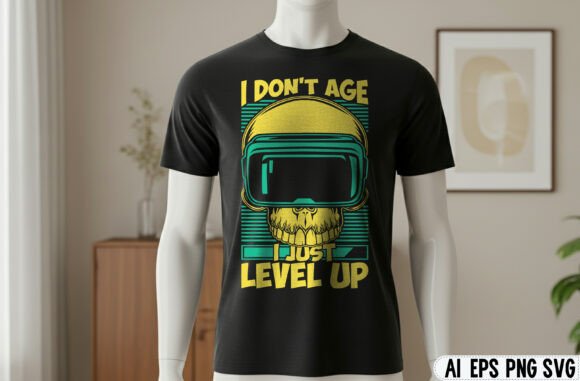
Why the Gaming and Mom Love T-Shirt Design Deserves Your Attention
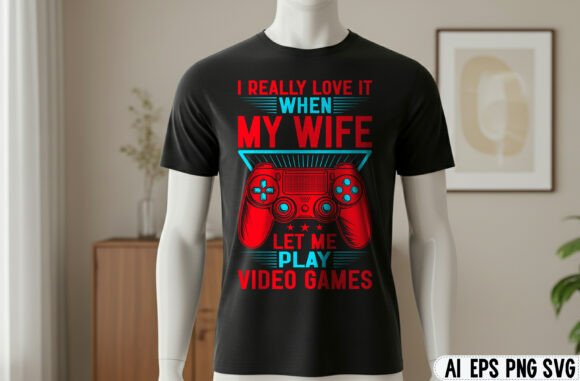
There is a sweet spot where heartfelt sentiment meets gaming culture, and the Gaming and Mom Love T-Shirt Design sits right in the middle of it. Whether you are a small business owner looking for a bestseller or a son or daughter hunting for the perfect inside joke gift, this design offers huge potential. But here is the reality check: buying the digital file is the easiest part. Turning it into a product that looks professional, sells well, or genuinely delights its recipient requires attention to detail. Many people waste the potential of high-resolution assets like this due to a few common but avoidable mistakes. Let's look at what you really get with this pack and how to avoid the pitfalls that lead to bad prints, wasted money, or missed opportunities.
What the Zip File Actually Delivers
Before diving into what goes wrong, it helps to appreciate what you are working with. The download includes a single high-resolution PNG file at 4096 x 4096 pixels with a transparent background. This is not a casual screenshot or a low-res web image. This file is engineered for production. The transparent background gives you the freedom to place the design on any color surface without a bulky white box around it. The high resolution means you can print this at a very large size on a hoodie or poster without any pixelation or blurriness. Understanding these specs is the foundation of good execution. A common mistake is treating every digital graphic the same, but the transparency and dimensions here offer flexibility that standard images do not.
Mistake One: Misjudging Scale and Placement
Just because the file is 4096 pixels wide does not mean you should print it at that size. A common oversight is dropping the graphic into a print template and leaving it at 100 percent scale. At standard print resolution of 300 DPI, this image would print at roughly 13.6 inches wide. That is massive. While that might work for a large hoodie or a wall print, it looks absurd on a toddler shirt, a tote bag, or a coffee mug. The better approach is to always size the design relative to the product. For an adult T-shirt, a print width of 10 to 12 inches is standard. For a mug, you want around 7 to 8 inches wide. The beauty of a 4096 x 4096 file is that scaling it down retains all the sharpness. Do not be afraid to shrink it significantly. A design that fits the canvas always looks more professional than one that overpowers it.
Mistake Two: Only Thinking About T-Shirts
The title says T-shirt design, but the best use of this file often has nothing to do with apparel. A major wasted opportunity is failing to diversify the products you apply it to. The project list included with this pack is not filler; it is a roadmap. Greeting cards, home decor prints, funny mugs, and stickers are all viable options. The transparent background makes it exceptionally easy to drag and drop into a greeting card template inside Canva or Photoshop to create a hilarious birthday card for a gaming mom. Stickers and decals are another strong option because the high resolution means the small details hold up when printed at sticker size. If you own a print-on-demand shop, listing this design on multiple product types increases your odds of making sales. If you are making a gift, pairing a shirt with a matching mug creates a far more memorable present.
Mistake Three: Ignoring the Background Interaction
Just because the file has a transparent background does not mean it is immune to color issues. A common technical mistake is failing to check how the design looks on different fabric or product colors. This is especially important if you are doing direct-to-garment printing or sublimation. The design's edges need to blend smoothly. Sometimes a perfectly transparent PNG can show a faint white fringe when printed on a dark shirt if the printer or software does not handle the anti-aliasing correctly. The solution is simple: preview your design against the actual color of the product you plan to use. If you are printing on a light pink or white shirt, most designs will look crisp. If you are printing on black, navy, or heather gray, pay close attention to the edges. If needed, add a very subtle stroke or shadow in your design software to ensure a clean transition. Testing this before production saves you from a batch of shirts that look amateurish.
Mistake Four: Skipping the Mock-Up Process
One of the most common points of confusion comes from the mock-up images themselves. The note provided in this pack clearly states that mock-up images are not included in the package. This is important for both buyers and sellers to understand. If you are a seller, using the listing photos as your own product images is a mistake. You need to create your own mock-ups using the actual PNG file. If you are a buyer, do not expect the design to look exactly like the promotional image in terms of size and context. The promotional image is an illustration of potential. Your job is to replicate that quality through proper sizing and placement. Using a free mock-up generator or a simple T-shirt template is easy to do and ensures your final product matches your expectations. Never assume the listing photo represents the exact final scale. Always do a test print or a digital mock-up first.
Mistake Five: Overlooking Usage Rights and Licensing
This is the most critical mistake for anyone planning to sell products. The product description lays out what is in the zip file, but it does not always explicitly state the terms of use. Many digital designs are sold for personal use only, while others allow limited commercial use. A dangerous assumption is that because you bought the file, you can do whatever you want with it. If you plan to sell T-shirts on Etsy, Redbubble, or at a local craft fair, you must confirm the license allows commercial use. Violating a license can get your seller account suspended or lead to a takedown notice. If the listing is unclear, message the seller directly before purchasing. For personal gifting purposes, this is less of a concern, but for any business application, this is non-negotiable. Knowing your rights protects your time and investment.
Practical Steps to Get the Best Results
Avoiding mistakes is good, but following a proven workflow is better. Start by unzipping the file and opening the PNG in your preferred design software. If you are using a program like Photoshop, GIMP, or Canva, the transparent background will be immediately visible. The first thing to do is duplicate the file so you always retain the original master copy. Then, create a new document based on the product you are making. For a standard adult T-shirt, create a canvas around 12 by 12 inches at 300 DPI. Drag the design in and scale it using the corner handles while holding the shift key to keep the proportions locked. Aim for the design to fill the upper chest area, roughly 10 to 11 inches wide. If you are making a sticker, size it down to 3 or 4 inches. The transparency allows you to easily layer it on top of background colors or textured fabrics. Always export your final project as a PNG with a transparent background if you are sending it to a printer, unless they specifically request a different format.
Final Considerations Before You Buy or Print
Before clicking that download button or sending the file to production, take a moment to evaluate a few things. First, consider the specific joke or sentiment of the design. Is it tailored to a specific game or does it have broad appeal? The best results come from matching the humor to the audience. Second, double-check the dimensions of your blank product. A shirt size chart varies by brand, and a design that looks perfect on a size large might look cramped on an extra small. Third, if you are selling, ensure your product descriptions are accurate. Let customers know the design is printed on demand with high-quality methods. Finally, remember that digital files like this are intended to be versatile. The combination of high resolution and transparency gives you the freedom to create a wide range of products. Use that freedom deliberately.
When you treat a digital asset with the same care you would a physical product, the results speak for themselves. The Gaming and Mom Love T-Shirt Design has the potential to be a favorite in your closet or your shop. By scaling it properly, diversifying your product range, checking your backgrounds, respecting licensing, and taking the time to mock things up, you avoid the frustrations that hold so many creators back. Now you have the knowledge to make this file work as hard as possible. Enjoy creating with it, and if you find it lives up to its potential, leaving that five star rating helps other creators find quality designs too.